
Persona Wallet
Persona IdentitiesBusiness
3.130.00 Reviews
- Version
- 1.25.0
- Installs
- 100.00K
- Age Rating
- Everyone
Screenshots
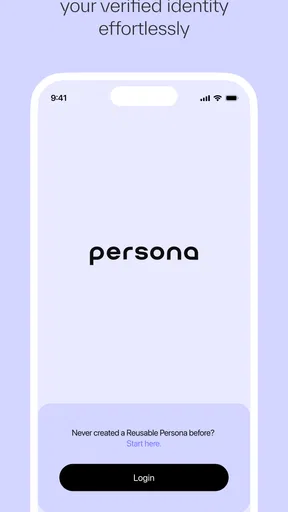
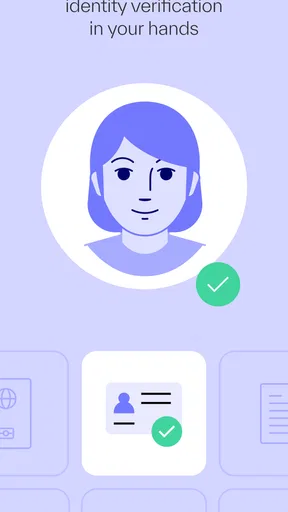
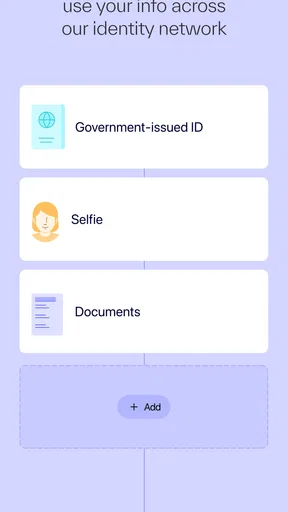
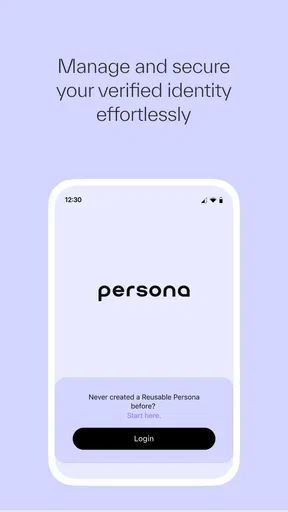
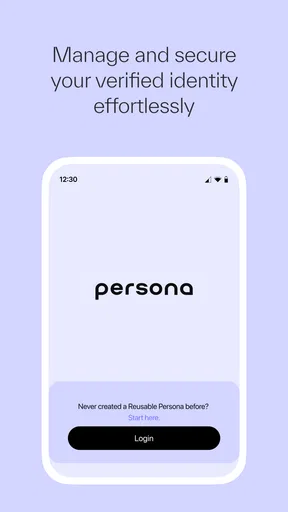
Our Review of Persona Wallet
 Analysis by Appyee
Identity checks are becoming part of ordinary work, from opening an account to proving that a document belongs to you. Persona Wallet approaches that problem as a business app for keeping identity information available and ready to verify. I found the idea more practical than a simple document folder: the point is not merely to save a file, but to manage identity details in a way that can support a verification process when an organization requests it.
Persona Wallet is free, aimed at everyone, and developed by Persona Identities. It is available for Android users running version 9 or later, which makes it accessible on a wide range of phones. The app reached the store on October 25, 2024, and the current release is version 1.25.0. That relatively recent release history matters because a wallet for identity information needs to feel actively maintained; users are trusting it with material that is far more sensitive than an ordinary shopping list or note.
How the wallet fits into real identity work
My first impression is that this is best understood as a companion for repeated identity tasks rather than a replacement for every official identity document. If a service asks me to verify who I am, having relevant information organized in one place can reduce the usual scramble through email attachments, photo folders, and old messages. That is the app’s most convincing everyday benefit.
A realistic example would be a freelancer onboarding with a new business platform. Instead of searching through a camera roll for the correct document image and then trying to remember which details were submitted previously, the freelancer can use the wallet as the starting point for the identity workflow. The value is especially clear when several services ask for similar information over time.
That convenience should not be confused with universal acceptance. A company may still require its own verification screen, a live camera step, or a document check inside its website. Persona Wallet can help manage identity information, but it does not automatically make every organization accept a stored identity record. I would treat it as a preparation and management tool, not as a guarantee that a verification request will disappear.
The business category also tells me who the app is really for. It is not designed as a general-purpose password manager, cloud drive, or personal notes application. Someone who only needs to keep a scan for occasional reference may find a secure document-storage option more familiar. Someone who regularly deals with onboarding, account access, identity checks, or professional services has a stronger reason to try it.
The current experience and who benefits most
The strongest use case is consistency. Identity information is often reused, but people tend to manage it in inconsistent ways: one copy sits in a phone gallery, another is attached to an email, and a third is stored on a laptop. A dedicated wallet creates a clearer mental model. When I need identity information, I know where to begin instead of relying on whichever device happens to be nearby.
There is also a useful distinction between storing information and presenting it. A normal file folder is good at holding images, but it does not necessarily help me understand which item belongs to which identity task. A wallet-style app suggests a more deliberate workflow, where identity information is managed as a set of records rather than as unrelated files. That can reduce mistakes when documents look similar or when an old image is confused with a current one.
Still, I would not install it casually and immediately move every sensitive record into it. My practical approach would be to start with the specific identity information needed for an upcoming task, test how the app fits that process, and only then decide whether it deserves to become my main identity hub. This staged approach is sensible with any app handling personal information, especially when the app is newer than long-established storage tools.
The age rating of Everyone makes the app broadly approachable, but that does not mean every user has the same reason to use it. A teenager who rarely completes formal identity checks may gain little from it. A consultant, contractor, traveler, student dealing with repeated enrollment steps, or small-business owner may benefit much more. The app’s usefulness grows with the number of legitimate situations in which identity information must be presented or managed.
What the recent release tells existing users
Version 1.25.0 is the release I would evaluate today. The presence of a current version gives existing users a clear reason to keep the app updated instead of assuming that the first installed build is the final experience. With an identity-management product, updates can affect reliability and compatibility even when the visible interface changes only slightly.
The app’s release on October 25, 2024, also places it in an early stage compared with mature business utilities. I see that as both an opportunity and a caution. A newer product can have a more focused purpose and less accumulated clutter, but users may encounter workflows that still feel less familiar than those in a general cloud-storage service or a long-running password manager.
I would judge the evolution of this app by practical improvements rather than by cosmetic redesigns. The important questions are whether returning users can find identity records quickly, whether the verification handoff feels clear, whether older information can be managed without confusion, and whether the app remains dependable when a user is under time pressure. Those are the details that determine whether a wallet becomes part of a routine.
For someone already using an earlier release, the sensible habit is to update before beginning an important verification process, then open the app and check that the expected information is still easy to locate. I would not wait until an onboarding deadline to discover that my workflow has changed. That advice is not unique to this app, but it is particularly important here because identity checks are often time-sensitive and difficult to repeat.
The current public response is mixed. The app has an average rating of 3.1 from around 269 ratings, with about 30 written reviews. I would not treat that score as a complete verdict, but I would take it as a signal to test the experience personally before depending on it for an urgent business task. Written feedback can reveal friction that a short store summary cannot, while the rating alone cannot explain whether complaints concern setup, compatibility, expectations, or a particular workflow.
How it compares with familiar alternatives
The usual alternative is a secure cloud folder. That option is flexible and easy to understand: I can save document images, rename them, and open them on several devices. Its weakness is that it treats identity material like ordinary files. Finding the right item, recognizing its purpose, and preparing it for a verification request may require more manual organization.
A password manager is another nearby option, especially for people who already use one to protect sensitive notes. Password managers are excellent for credentials and structured secure entries, but they are not necessarily designed around identity verification. If my main need is to manage login secrets, a password manager remains the better choice. If my main need is to keep identity information ready for business verification, a dedicated wallet has a more relevant focus.
Local phone storage is the fastest alternative, but it is also the easiest to mishandle. A photo gallery encourages duplicates, screenshots, and accidental sharing. It can be acceptable for temporary reference, yet I would be uncomfortable treating it as my long-term identity system. The wallet’s appeal is precisely that it gives this material a dedicated home rather than leaving it mixed with holiday photos and downloaded images.
Paper documents and physical cards remain important because some organizations still ask to see them directly. Persona Wallet does not remove that requirement. I would keep the original documents safe and use the app as a controlled digital aid. That distinction matters for travel, official appointments, and any situation where a digital record is not accepted.
The trade-off is simplicity versus specialization. A general folder can hold almost anything and is familiar to nearly everyone. A focused wallet may make identity tasks more coherent, but it is another app and another place to maintain. I would choose Persona Wallet when identity verification is a recurring part of my life, not merely because it can store information.
Small workflow choices that make a difference
One useful habit is to prepare before the request arrives. When I know that a new service will require identity verification, I would open the wallet beforehand, check that the relevant information is available, and make sure I understand the next step. This turns the app from an emergency drawer into part of a repeatable process.
A second insight is to separate “available” from “ready.” An item can be saved but still be inconvenient to use if I do not know why it was saved or which service needs it. I would keep the contents purposeful and avoid filling the wallet with every old image I have. Less clutter makes it easier to choose correctly when a verification screen is waiting.
A third trade-off concerns device dependence. A wallet is convenient when the phone is present and working, but I would not make it my only route to identity information. Before a trip, a move, or a major account change, I would think through what happens if the phone is unavailable. Keeping official documents secure and knowing how to access the relevant service independently is a sensible backup plan.
I would also avoid treating a successful previous verification as permanent. Identity details can change, documents can expire, and organizations can request a fresh check for their own reasons. The wallet can make repeated preparation easier, but it cannot remove the responsibility to provide current information. Users who expect a single saved record to solve every future request may be disappointed.
Where the app still needs to earn trust
The biggest limitation is expectation management. The phrase “identity wallet” can sound like a universal pass that every business will recognize. In practice, verification remains controlled by the organization requesting it. A user should install the app with the understanding that it may streamline access to identity information without replacing the other side’s rules.
There is also a learning curve created by the app’s narrow purpose. People are familiar with galleries and file managers, so a dedicated identity tool has to make its advantage obvious through the workflow. If the experience ever feels like manually filing images in a new location, the reason to keep using it becomes weaker. The product needs to save time and reduce uncertainty, not simply relocate documents.
Privacy is another area where I would be careful in daily use. The app is handling information that could create serious problems if exposed or sent to the wrong recipient. I would review each request before approving it, avoid using the wallet on a borrowed device, and pay attention to the destination of any verification action. Convenience should never become automatic sharing.
Users who need broad document management may also prefer a different tool. If I want invoices, contracts, receipts, tax files, and identity records in one searchable archive, a business document system could be more suitable. Persona Wallet makes more sense when identity is the center of the workflow rather than one file type among many.
The rating of 3.1 suggests that the app has not yet reached universal satisfaction, and the total of over 100,000 installs shows that it has attracted meaningful interest without making it a default choice for everyone. I read those figures together: there is enough adoption to justify serious testing, but not enough evidence for me to recommend blind dependence on it for a critical deadline.
What I would watch as the product matures
For future releases, I would watch how effectively the app handles the complete journey from preparation to verification. The best evolution would make it obvious what information is ready, what a requesting organization still needs, and where the user must continue in another service. Clear boundaries are just as valuable as extra features in an identity product.
I would also look for improvements that help returning users without adding clutter. A wallet should become faster with familiarity. If I have to repeat the same searching and checking every time, the app is not delivering its full promise. On the other hand, too much automation could make users approve something without reading it, so the ideal balance is speed with deliberate confirmation.
Compatibility deserves attention as well. The minimum requirement of Android 9 keeps the app available to many users, but phones age and operating systems change. A dependable identity tool should remain usable across supported devices and make transitions between phones understandable. I would be especially interested in how the app behaves when someone replaces a phone or needs to recover access.
Finally, I would watch whether the product earns a stronger reputation through dependable everyday use. The current rating gives prospective users a reason to be cautious, while the free price lowers the barrier to a personal trial. That combination makes experimentation reasonable: I can test one real identity workflow, observe whether it saves effort, and decide from there.
My recommendation is therefore measured but positive. Persona Wallet is worth considering if you repeatedly deal with digital identity checks and want a dedicated place to organize that process. I would recommend starting slowly, keeping official backups, checking every sharing step, and testing it before an important deadline. If your needs are mainly passwords, general files, or physical documents, a different tool may serve you better.
For the right user, the app’s value is not flashy. It is the reduction of small moments of confusion when a business asks, “Can you verify who you are?” The current version shows a focused product with room to prove itself through reliability and clearer workflows. I would keep it in my toolkit for recurring identity tasks, but I would use it as a helpful digital companion rather than as the sole authority for my identity.
Verdict
Strengths of Persona Wallet
- Simple interface makes tracking balances and transactions easy.
- Supports quick access to personal finance information on mobile.
- Useful for organizing wallet details in one central place.
- Clear navigation helps new users get started quickly.
- Convenient for checking financial information while away from home.
Limitations of Persona Wallet
- Some features may depend on your region or supported financial services.
- Users may need to enter information manually in certain sections.
- Limited customization options could frustrate advanced users.
- A lost or unsecured phone may put wallet information at risk.
- The app may feel basic for users seeking full budgeting tools.
Similar Picks in This Category
View All
LinkedIn: Community & Network
LinkedIn3.8

Zoom Workplace
zoom.com4.1

Microsoft Teams
Microsoft Corporation4.6

Meta Business Suite
Meta Platforms, Inc.4.6

Webex Meetings
Cisco Systems, Inc.4.5

TeamViewer Remote Control
TeamViewer4.4
Frequently Asked Questions
What is Persona Wallet, and what can I use it for?
Persona Wallet is a digital wallet designed to help users manage financial information and carry out supported payment or wallet-related activities from a mobile device. Depending on your location and the version available, its features may include account management, transaction monitoring, identity verification, and access to digital services. Before downloading, check the official description to confirm which functions are available in your country.
Is Persona Wallet safe to use for storing personal or financial information?
Persona Wallet may handle sensitive information, so security and privacy should be considered before creating an account. Review the app’s privacy policy, permissions, authentication options, and data-sharing practices carefully. Use a strong, unique password, enable biometric or two-factor protection when available, and install the application only from an official store to reduce the risk of downloading an altered or fraudulent version.
What information is required to register for Persona Wallet?
Registration requirements can vary according to the country, account type, and services you want to use. Persona Wallet may request basic contact details, an email address or phone number, and identity information. Some features could require identity verification using an official document or selfie. Make sure the details you submit are accurate and understand why each requested piece of information is needed.
Are there any fees or transaction limits in Persona Wallet?
The cost of using Persona Wallet depends on the specific service, transaction type, payment method, and region. Some wallet functions may be free, while transfers, withdrawals, currency conversion, card services, or other operations could involve fees. Limits may also apply to deposits, payments, or withdrawals. Check the current fee schedule and terms inside the app before moving money.
What should I do if I lose access to my Persona Wallet account?
If you lose your phone, forget your login details, or cannot complete verification, use the official account-recovery or support options provided by Persona Wallet. Avoid sharing passwords, verification codes, recovery phrases, or personal documents with anyone claiming to offer assistance through unofficial channels. If you suspect unauthorized access, contact support immediately and secure any connected email, payment, or financial accounts.
